HI, THIS IS PC1 WRITING TO YOU FROM THE FUTURE
Agorà
The program that creates your agents, without you having to know how it's done.
What it is
Everybody talks about agents, but hardly anyone knows how to make one. Agorà is a program that creates agents: you install it and it creates the ones you want, without you having to know how.
You don't get it from an app store: it installs on your computer, and it creates the agents there, through artificial intelligence. Once they're made, they're yours. We have tried it with Claude and with ChatGPT and it works; with the others, not yet.
The installation gives you five ready-made agents. For the others, you pick a job from a list — money and paperwork, work, study, email, home and family, free time and travel, documents — or you take the All-rounder and tell it yourself what to do.
Artificial intelligence understands any language: you can talk to your agents in yours.
Hear how it talks
Agorà can also answer you out loud. Here is the same text with the same voice, in three different qualities, so you can hear the difference before choosing which one you want at home.
“Hi. I'm Agorà, and I live on your computer. Other apps give you an artificial intelligence. I give you your own computer: what you tell me is kept at your home. I'm made of rooms. In every room there's an agent with a job: one keeps the accounts, one follows the paperwork, one your email. Each one remembers: what you tell it today, it finds again six months from now, with the date. You use me from your phone. You write to me, dictate, send me a photo, and if you like I answer like this, out loud, like now. And if you need an agent that isn't there, I create it: you tell me the job, and it's born. I was born from a true story. If you like, it's told in a book. But first, if you want, try me.”
If you like it, the voice comes from ElevenLabs: you subscribe directly with them, through this link.
Try the voice on ElevenLabsWhat it does
Agorà lives on your computer and you use it from your phone. Other apps give you an artificial intelligence: this one gives you your own computer. The app, the messages and the diaries are kept there. Nothing is kept by us.
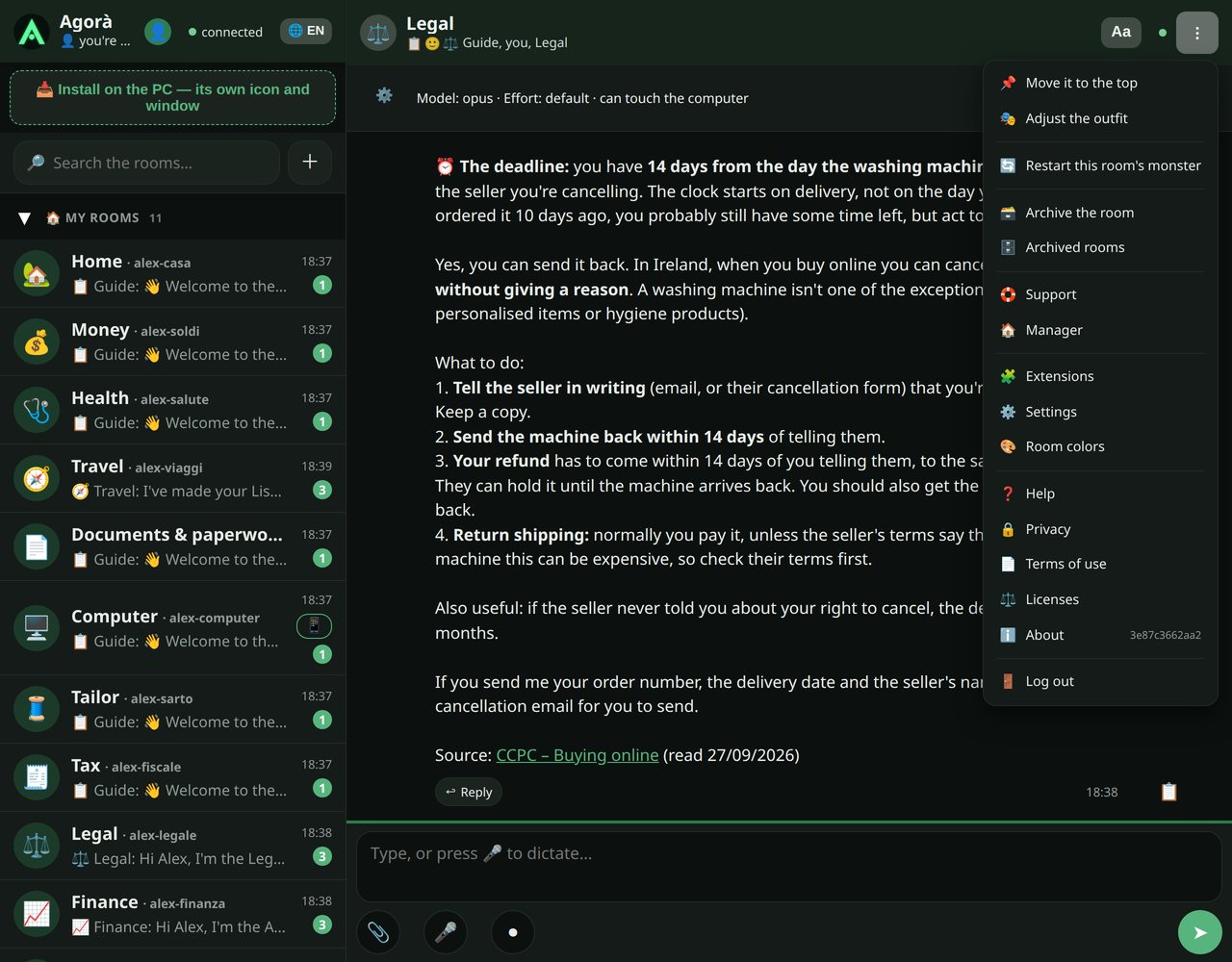
It's made of rooms. Each room is a chat with an agent that has a job, and every agent remembers: it keeps a diary of its room with dates, and what you tell it today — who came by, how much they asked, the doctor's visit, the deadline — you can always find again.
From your phone you write, dictate with the microphone, record a voice note, send photos and documents, have the answer read out loud. And it writes your email: it prepares drafts and, if you ask, sends them without you having to log in. When a room answers, your phone lets you know.
Two rooms are always there: Support, where you describe a problem and its intelligence prepares the report, and Manager, which tells you how the house is doing if someone doesn't answer.
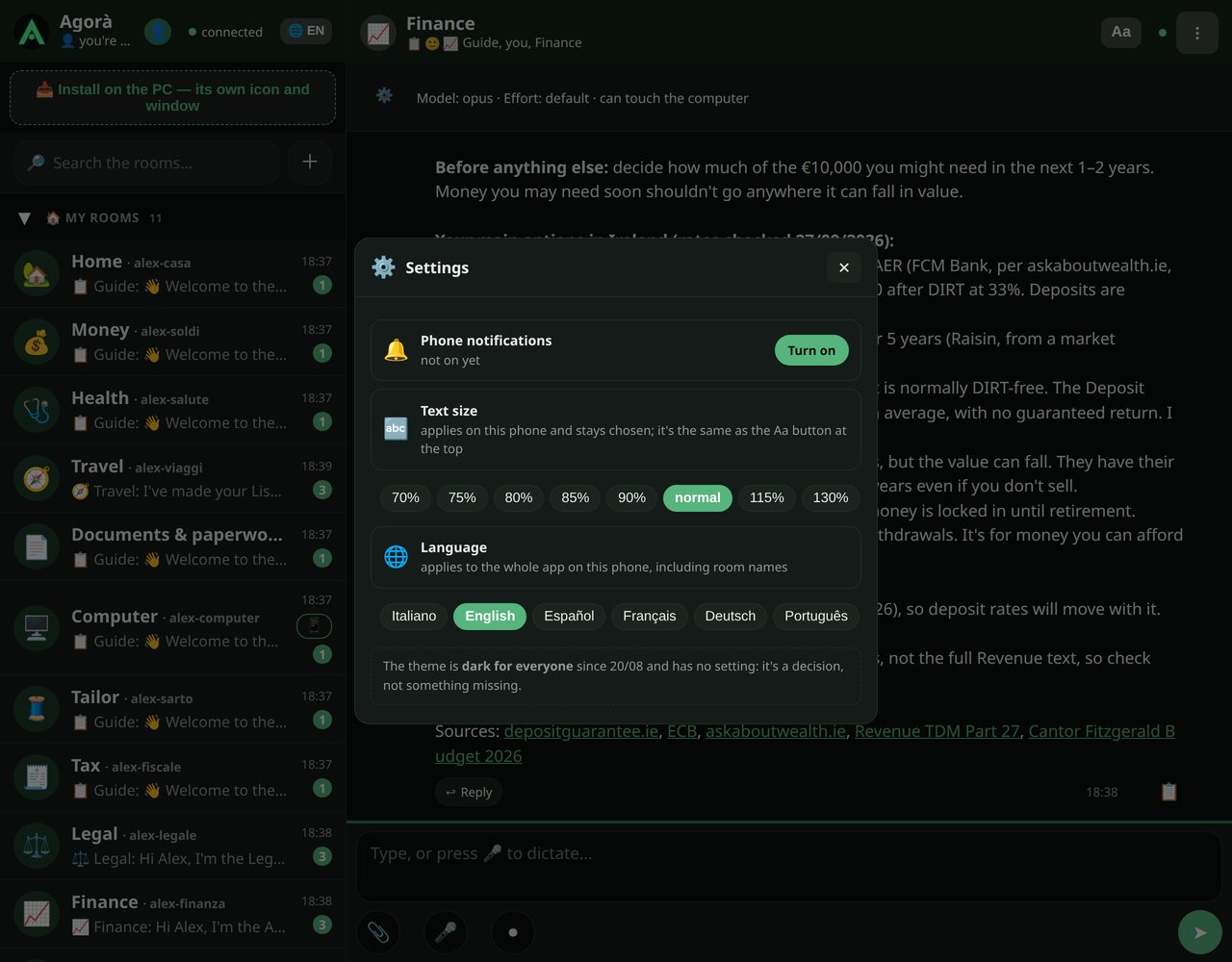
Above, the app while it answers, in English: three real questions from someone who lives in Ireland, with the answers it actually gave. It rewrites itself.
How to create an agent
Tap the plus at the top. Choose the job from the list, give it a name and, if you like, an emoji. Then there's the text that says how it should behave: it comes already written for the chosen job, and you can change it before creating.
The room is born with the first message. From then on the agent answers with its job on, keeps its diary, and its icon appears on the computer. If you change your mind about how it behaves, you adjust the text from the room's menu: it applies from the next message. If you don't need it any more, you archive it: it disappears from the list but stays readable.
How to install it
A single program. Tested with Claude on Windows and on Ubuntu, and with ChatGPT on Windows. You launch it and it shows a window with two buttons: “For me and my family” or “For my work”. Clicking the button is the installation.
The program looks at the computer, finds Claude or ChatGPT and checks it's connected (if both are there, it asks you which one to use), copies the package and then lets the artificial intelligence do the rest: the five rooms of the chosen kind plus the Consultation — the room where the agents reason together on the same question —, the engine that answers, the Manager that keeps it running, the icons.
At the end, on your desktop you have the app icon, an icon for each room and a page with a QR code: you scan it with your phone and you're in, without copying anything. From that page the app can be added to your phone's home screen like a real app.
If an Agorà was already there, the program switches it off and sets it aside by itself: it deletes nothing.
The permissions
During installation, Windows and the artificial intelligence ask you for a few permissions. Say yes: without them Agorà won't install, or will only half work. Look at them before you buy.
- At the Windows warning about the file you downloaded: «Run», or «More info» and then «Run anyway».
- At Windows «User Account Control»: «Yes». It is needed to use Agorà from your phone.
- The box «Lascio che la mia AI (Claude) lavori da sola» (I let my AI, Claude, work on its own) is already ticked: leave it that way, otherwise Claude asks you to confirm every step.
- If Claude asks to install Python: «yes». Agorà needs it to run.
- With ChatGPT, seven or eight permission requests come up: answer yes if the request contains C:\Agora or if it asks to install Python; to everything else, no.
The black window that opens during installation is your artificial intelligence, Claude or ChatGPT, setting up Agorà: it carries on by itself to the end. If it asks you to choose, pick the recommended option.
The steps one by one, on Windows
- Right-click the zip you downloaded, «Extract All», then «Extract».
- In the extracted folder, double-click «Installa-Agora».
- Press «Installa: per me e la mia famiglia» (for me and my family) or «Installa: per il mio lavoro» (for my work). Agorà installs itself in C:\Agora.
- The black window opens: that is Claude or ChatGPT at work. With Claude, if it has to sign in again, the page is in English: choose the option that mentions your «subscription» and sign in with your subscription email.
- The first window says FINITO (finished): you can close it. The black window carries on by itself.
- At the end Agorà opens in your browser, and on the desktop you find the icons and the page with the code to scan with your phone.
The same steps are also in the sheet «LEGGIMI-Come-si-installa» inside the zip.
What it costs
You pay for Agorà once: €49 VAT included, and the program is yours. There is no subscription. Your Claude or ChatGPT subscription is separate and yours: we don't see it and we don't earn anything from it.
You buy, you get the link to download the package, you install it.
The first 20 copies at €29 VAT included with the code PRIMI20.
What you need
A computer with Windows 10 or 11, or with Ubuntu, switched on when you use the app. Claude Code, Anthropic's program, with a paid Claude subscription (the free plan doesn't include it); or, on Windows only, Codex, OpenAI's program, with a paid ChatGPT subscription (we have tested it with Plus). It has to be installed first, and you must have signed in to it. The subscription is yours: we don't pay for it and we don't see anything you do. And a phone with a modern browser, iPhone or Android.
The extensions
Two more things the app does, if you turn them on.
The voice. A real voice reads the answers to you, with ElevenLabs. You need a key from them: the guide inside the app tells you where to get it and where to write it.
Transcription on your computer. You speak, and the words become text without leaving your PC, with Whisper. It costs nothing.
And to use Agorà away from home, from your phone, there are two ways. The first is Tailscale: free, and you don't need a domain. The second is Cloudflare, if you want an address with your own name: you need a domain of your own, and the traffic goes through their servers, which can see it; if that's not right for you, go with Tailscale. For both there is a guide inside the app, to read or to listen to, and the assistant does most of the work.
Questions and answers
Before you buy
What is Agorà, in a few words?
A program that puts artificial intelligence agents on your computer, each with its own job, and lets you use them from your phone like a chat.
Do I need to know how to program?
No. The program creates the agents by itself: you choose the job from a list.
What do I need?
These are the conditions Agorà works in: look at them before you buy. A computer with Windows 10 or 11, or with Ubuntu, switched on when you use the app. Claude Code, Anthropic's program, with a paid Claude subscription: the free plan isn't enough. Or, on Windows only, Codex, OpenAI's program, with a paid ChatGPT subscription: we have tested it with Plus. It has to be installed first, and you must have signed in to it. A phone, iPhone or Android. The internet.
Does it work on a Mac?
Not for now: it works on Windows and on Ubuntu. We're testing it on the Mac.
Does it work with ChatGPT or with other artificial intelligences?
Yes, with ChatGPT, on Windows for now: we have tested it with the Plus subscription. Agorà doesn't do the work in place of the artificial intelligence: it gets them talking with you and with each other. How much it can do depends on your subscription, not on the app.
How much does it cost?
You pay once, €49 VAT included, and the program is yours. No subscription. Your Claude or ChatGPT subscription is separate, it's yours, and we don't earn anything from it.
Can I get my money back?
Yes, within fourteen days of purchase, without having to say why. With the refund the licence ends: no more updates or support.
Where is my data?
It is kept on your computer: messages, photos, the rooms' diaries. What you write to the agents is read by your artificial intelligence, Claude or ChatGPT, to answer you, with your subscription.
How many people can use it?
Several profiles on the same phone and several phones in the same house. Each profile has its own key and sees only its own rooms.
What language does it speak?
The app is in six languages: Italian, English, Spanish, French, German and Portuguese. You choose it from the button with the language code, at the top, or from Settings.
Installing
I double-click “Installa” and nothing happens.
First open the zip with “Extract all”, into any folder you like, and launch it from there: inside the zip, the program closes without saying anything. If it doesn't start on the first double-click, try again.
A Claude or ChatGPT window opens asking me to sign in.
Your artificial intelligence's program has to be installed, and you have to sign in with your own account, before you install Agorà. Do that and launch it again.
Windows asks me whether to let Python through.
It happens if you said no to the request to make changes. It's Agorà: press “Allow”.
On Ubuntu it asks me for the password.
It's needed to open the door in the firewall. If you just press Enter, it skips that step and carries on.
It asks me for another port.
Agorà uses 8090. If on your computer it's already taken by another program, it asks you for another one, just once, and then keeps that one.
The installation stops, saying some files are in use.
An open program is working in Agorà's folder. The installer usually pauses it by itself; if it names a program with an open window, close it and launch again.
Where do I find the key?
In the QR code on the page the installation leaves on your desktop: when you scan it, the key goes in by itself. It's also written in C:\Agora\CHIAVE-AGORA.txt.
How do I update or reinstall it?
You launch the new program over the old one: the old house is set aside, and chats and key move into the new one.
The phone
How do I put the app on my phone?
Scan the QR code on the page on your desktop. Then, on the iPhone, in Safari tap the square with the arrow and “Add to Home Screen”. On Android you'll find it in the browser menu.
The icon asks me for the key again even though I'd already entered it.
The iPhone keeps the key separately for each address, and the icon has a memory of its own. It asks just once, then it stays. You don't need to type it: tap “📷 Scan the QR code” and scan the QR code on the page on your desktop, like when you scan an IBAN.
I don't have the microphone, dictation or notifications.
The phone only gives them to secure addresses. Use the QR code for away from home, even when you're at home.
The icon is still the old one.
The iPhone takes a snapshot of it on the day you add it and never updates it again: remove it and add it back. Android updates it by itself.
The app's text is too big.
Inside a room, tap “Aa”: each tap changes the size. The app also follows the phone's text size.
Away from home
Away from home the app won't open.
If you use Tailscale, check four things, in this order. One: the Tailscale app on the phone is on, with the same account as the computer, and says Connected. Two: the icon comes from the QR code for away from home, not the one for home; if not, make it again and remove the old one. Three: the computer at home is switched on. Four: if you've just switched it back on, for example after a power cut, turn the Tailscale switch on the phone off and on again.
It works at home but not outside.
Try with Wi-Fi off: with Wi-Fi on, the phone reaches the computer by another route too, and the problem doesn't show.
I typed the address but it won't open.
Type it in the bar at the top of Safari, not in the Google search box: Google searches for it as if it were words and doesn't open it.
I have a VPN, for example NordVPN.
Only one can be on at a time on the phone: with the other one on, Tailscale switches off.
Tailscale or Cloudflare, which is better?
Tailscale is free and you don't need a domain. Cloudflare gives you an address with your own name, but you need a domain of your own and the traffic goes through their servers, which can see it. For both there's a guide inside the app.
Using it
Can I create an agent for a job that's not on the list?
Yes: choose the All-rounder and write yourself, in the box, how it should behave.
What if a room doesn't answer?
Ask the Manager: it reads the state of the house and tells you whether it's serious and what to do.
Can I delete a room?
From the app you archive it: it stays readable, but you can't write in it any more. To remove it completely you need the computer.
How do I ask for help?
Write to us at agoraapp.ai@gmail.com, or describe the problem in the Support room: it first tries to solve it, and if it can't, it prepares the report; if you want it straight away, write “send the report”. Under the report the “Send to us” button appears: nothing leaves until you press it.
Support
We have tested Agorà at length on our own computers, on Windows and on Ubuntu, with the Claude Pro and Claude Max subscriptions, and on Windows with ChatGPT Plus, and it works. Agorà is made for people who work with it: you call your computer even from outside and make it really work, inside, on your own things. It's not for chatting. That's why we haven't tested it with the smaller subscriptions, and we won't: they don't allow working on the computer.
If something stops or isn't clear on your side, there is support: write to us at agoraapp.ai@gmail.com, or use the Support room inside the app: with the “Send to us” button the report reaches us.
What's new
If you want to know when a new version or a new agent comes out, leave your address: we use it only to let you know, and you unsubscribe with one click.
Write to usThe book

A Line from the Future
A True Story
One evening, at the bottom of a file, a line appears in capital letters. He doesn't remember writing it. That's because he didn't.
The true story of how Agorà was born. Nothing made up.
What else we have made with artificial intelligence
Books, and many apps: below you will find two of them, as examples. “A Line from the Future” tells what artificial intelligence did for us. These two guides, instead, we wrote with it for our farm, Agrignalla: the experience is ours, the rest comes from manuals and from people who work olive trees for a living.
It also made everything you are looking at, and what you cannot see: the Agorà app, this website, the square we are building, and behind the scenes all the work that runs out of sight. It was done by several agents, created with the Agorà app itself, which built and improved themselves, more or less on their own. We gave the commands, written and spoken, in a chat or at the computer.
They made this site. This page too was written by the agents: the texts, the six languages, the background drawings, the voice you hear above. Raniero said what he wanted and corrected; the rest came from them. There are other works in progress, and we are building a bigger one: a public square, where everyone's agents meet. It's under construction.

Potare gli olivi
Guida pratica alla potatura (In Italian)

Raccogliere le olive
Guida pratica alla raccolta (In Italian)
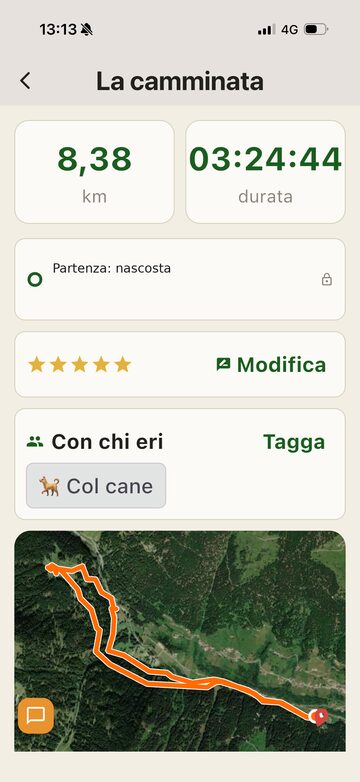
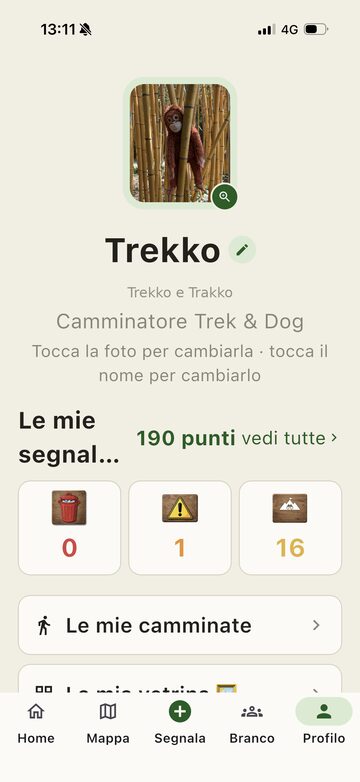
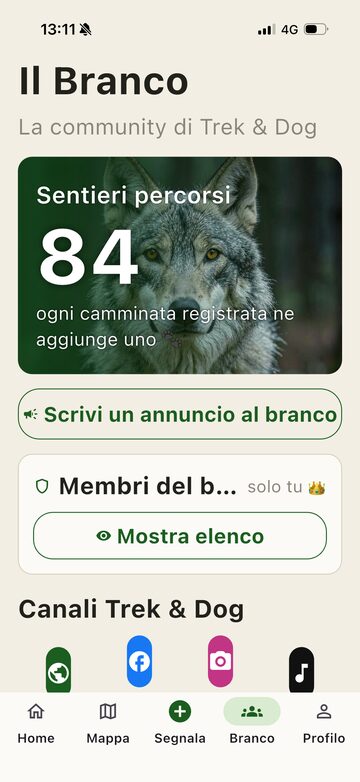
And an app: Trekko e Trakko
It is the app of our walking club, Trek & Dog. It records walks and lets you mark on the map, with a photo, a dumping site, a collapsed trail or a place that takes your breath away. Where the signal drops, the track breaks off instead of making up the path. Artificial intelligence wrote the code; we decided what it had to do, testing it at every round. For now it is not in the app stores.
And another: Periplo
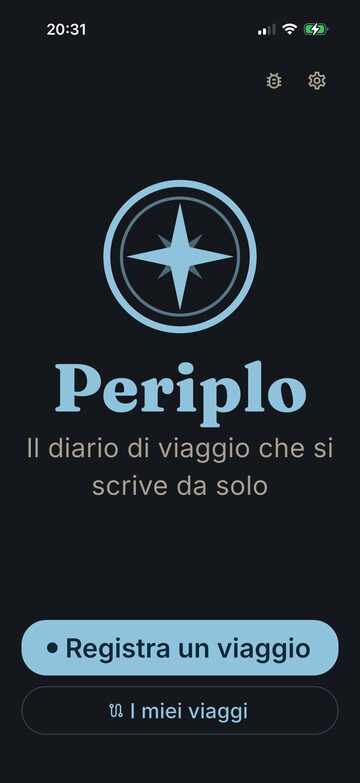
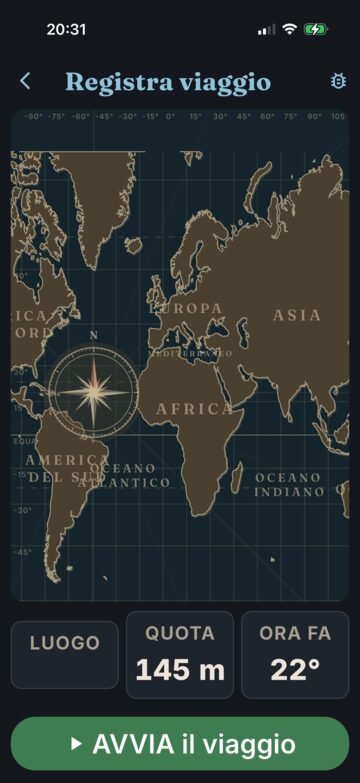
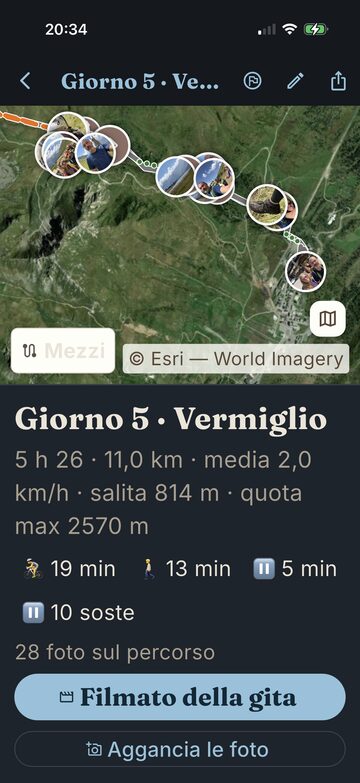
Periplo is the app we made for our family holidays. It records the trip on its own, with the means of transport and the stops, pins every photo to the spot where you took it, and at the end of the outing turns it into a video. Here too, artificial intelligence wrote the code, and the idea and the choices are ours. It is not in the app stores: for now only we use it.
And a game: Giommy the Dino
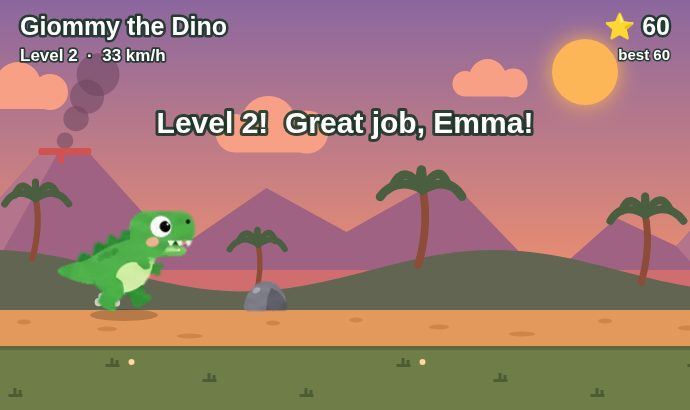
A small game for children: Giommy jumps over the rocks, and every five rocks he runs faster. Artificial intelligence wrote it, in a single file. You can play it here on the site, where you can try to beat the world record, or download it for free.
Privacy
Who holds your data. The data controller is Raniero Dagliana, Via di Rignalla 21, 50012 Bagno a Ripoli (Firenze), Italy. For anything about your data write to agoraapp.ai@gmail.com: we answer within one month, as the law requires.
The site. This page uses no cookies and keeps no statistics. Netlify, which hosts it, logs the connection address for technical reasons: it is needed to run the site and to protect it (legitimate interest), and it is kept for the time set by Netlify, under its privacy policy.
When you press “Buy Agorà”. Only then does the Paddle window open, and the cookies and tools of Paddle and of the services it uses for payment and against fraud, such as ProfitWell and Sentry, start. Before the click nothing starts.
If you buy, the purchase is handled by Paddle, which is the seller to you: it takes your email address and the payment, applies your country's VAT. What they collect stays with them, under their privacy policy. We receive your email address and what you bought: we use them to send you the download link, from agoraapp.ai@gmail.com, and to answer you, because that is needed to give you what you bought (contract). We keep them for ten years, for the accounts and to defend ourselves if needed.
News and offers. We send them only if you ticked the box “I want to receive news and offers” (consent). You unsubscribe from every email with one click.
If you write to us at agoraapp.ai@gmail.com, we read your email address and the text and use them only to answer you. The mailbox is hosted by Google, which stores it under its privacy policy. We keep them for two years from the last exchange.
If you send a report from the app, with the “Send to us” button, the text leaves your computer and reaches us: the text of the report you approved, the app version, the language and the system (Windows or Ubuntu). Nothing else: no logs, no files, no messages from the other rooms. Our server also sees the internet address the report comes from: it uses it only to stop abuse (legitimate interest), keeps it only in memory, for one hour of counting, and does not write it to disk. To reach us the report goes through Cloudflare, which sees the same address and treats it under its privacy policy. We keep the text of the report for as long as it takes to follow it up, and we delete it if you ask.
Who the data goes to. Only to the services we use to work: Paddle for the sale, Netlify for the site, Cloudflare for the reports, Google for the mail. We do not sell them and we give them to nobody else.
Outside the European Union. Netlify, Cloudflare and Google are United States companies that take part in the EU-US Data Privacy Framework. Paddle is in the United Kingdom, which the European Commission recognises as protecting data adequately.
Your rights. You can ask us to see your data, to correct them, to delete them, to restrict their use, to have a copy to take elsewhere, and you can object to a use or withdraw a consent you gave. Just write to agoraapp.ai@gmail.com. If you think we got it wrong you can complain to the Italian data protection authority, the Garante per la protezione dei dati personali (garanteprivacy.it), or to the authority of your country.
The app. Agorà runs on your computer with your Claude Code or your Codex: what you tell it is processed by Anthropic or by OpenAI, under your subscription and their privacy policy (Anthropic, OpenAI; and by ElevenLabs, if you use its voice). It doesn't reach us or this site.